Extreme Crafting
Oversized recipes turn item creation into a production-planning problem.
Crafting scale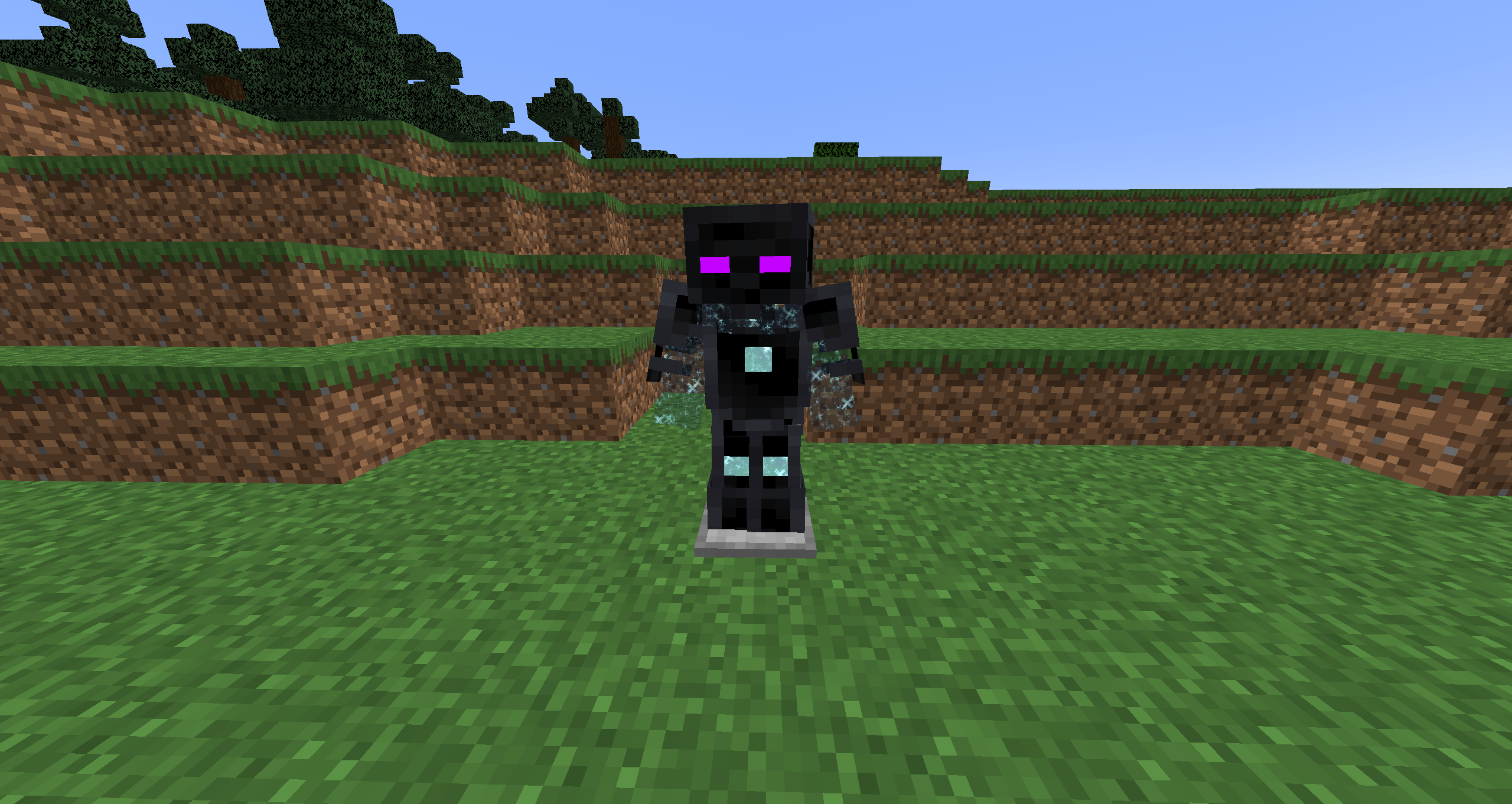
Avaritia is best understood as a deliberately excessive end-game layer. Instead of giving early convenience, it asks a mature modded world to prove that it can generate, compress, route, and store huge amounts of material before unlocking the strongest rewards.
The name now appears across several project lines. The original Avaritia is associated with Minecraft 1.7.10; Avaritia 1.1x became the familiar Forge-era continuation for releases such as 1.12.2; newer community projects can target 1.20.1 and later with different loaders and scripting systems. That distinction is essential when reading guides or choosing files.
Avaritia works when each mechanic reinforces the same idea: the final craft should represent the output of an entire automated base, not a short mining trip.
Oversized recipes turn item creation into a production-planning problem.
Crafting scaleLong-running resource systems reward automation rather than manual repetition.
ThroughputBulk materials can become compressed ingredients for the highest crafting tiers.
Resource sinksOverpowered rewards make sense only after the pack has exhausted normal progression.
End-game powerModern implementations can expose datapack or scripting hooks for recipes and singularities.
IntegrationOriginal, 1.1x, and modern ports require different loader and dependency decisions.
CompatibilityAvaritia progression becomes manageable when you separate environment setup from gameplay scaling. First prove that the mod is compatible; then build the resource systems that make its intentionally expensive recipes realistic.
Do not select a file by Minecraft version alone. Confirm original Avaritia, Avaritia 1.1x, Re:Avaritia, or another port first.
Keep Minecraft, Forge/Fabric/NeoForge, Java runtime, and dependency versions in the same compatibility window.
Validate the mod with required dependencies before adding optimization mods, scripts, recipe packs, and content integrations.
Automate recurring materials, reserve bulk storage, and measure bottlenecks before attempting top-tier recipes.
In a custom pack, use recipe edits and singularity costs to make Infinity-tier rewards the conclusion of progression rather than a shortcut.
The same “Avaritia” search can lead to different maintainers, loaders, and codebases. Use the project identity as the first compatibility filter.
Avaritia is strongest when a world already has mature automation and needs a final resource sink. It is weakest when inserted early, because Infinity-tier rewards can flatten the value of every progression system that comes before them.
Use Extreme Crafting as a capstone that consumes outputs from multiple tech or magic chains.
Give established factories a measurable reason to scale beyond normal survival needs.
Modern data and scripting systems can make singularities reflect the economy of a specific pack.
Large modpacks fail most often when too many variables change at once. Keep the first launch small enough that a crash report can actually tell you what went wrong.
Identify the Avaritia branch, then lock Minecraft, loader, Java, and required libraries.
Back up worlds, configs, scripts, and the working mod list before any upgrade or removal.
Test the core stack first, then restore recipe viewers, integrations, scripts, and other mods in controlled groups.
Use the primary button below to download the Avaritia Mod repository archive from the project source. Before adding it to a world, confirm that the project branch, Minecraft version, loader, Java runtime, and dependencies match your setup.
Download Avaritia ModDirect project-source ZIP link. Back up important worlds before changing a modded installation.
A clean malware scan is not enough. A wrong loader or incompatible registry change can still corrupt a heavily modded world. Treat backups and controlled testing as part of the security model.
Confirm identity: project name, maintainer, loader, version, and release channel should all agree.
Keep backups: preserve the world, configs, KubeJS/CraftTweaker scripts, and the known-good mod list.
Test in isolation: reproduce problems before changing multiple mods or settings at the same time.
Read logs: missing dependencies and mixin/loader conflicts usually appear before the visible crash symptom.
A search for “Avaritia 1.12.2” normally points toward the Forge-era 1.1x continuation, while “Avaritia 1.20.1” can surface modern community projects with different loaders. The safest workflow is project → Minecraft version → loader → release file → dependencies.
Download Latest ReleaseCrash screens often show the final failure. The useful clue is usually earlier in the log where the loader reports a missing dependency, rejected version range, class-loading error, or conflicting mixin.
Check loader family, Java version, dependency ranges, and the first “caused by” section before removing random mods.
Separate base-mod behavior from recipe viewer configuration, datapacks, scripts, and modpack overrides.
Return to the known-good mod list, restore the backup, then test the upgrade in a copied instance.
Profile automated factories, chunk loaders, item entities, storage networks, and scripted recipe systems before blaming one mod.
Each guide is built around a specific search intent: version selection, setup, compatibility, performance, safety, or troubleshooting.
Questions are split between version/features context and setup/troubleshooting so you can jump directly to the type of decision you are making.
Avaritia is a Minecraft Java end-game mod concept built around deliberately expensive crafting, resource compression, and exceptionally powerful late-game equipment. Different maintained branches exist, so project identity matters as much as the version number.
Yes. The original Spiteful_Fox Avaritia project is associated with Minecraft 1.7.10. Later Avaritia lines are separate continuations, ports, or maintained branches rather than the same release stream.
Avaritia 1.1x is the later Forge-focused continuation commonly associated with versions such as 1.12.2, and it also has later experimental or beta-era builds. Treat it as a separate branch from the original 1.7.10 project.
Avaritia 1.1x has a well-known 1.12.2 release line. Match the exact mod file with Minecraft 1.12.2, the correct Forge generation, Java runtime, and the dependency set used by your pack.
Modern Avaritia-family projects exist for 1.20.1, including community-maintained implementations. They are not interchangeable with the original 1.7.10 jar, so confirm the project name, loader, dependencies, and documentation.
The original Avaritia and the classic 1.1x line are not Fabric projects. Modern Re:Avaritia releases can target Fabric as well as Forge or NeoForge, depending on the Minecraft version. Always check the exact build.
Bedrock and PE results using the Avaritia name are separate community addons or apps. They should not be treated as the same codebase, recipes, or compatibility path as Java Avaritia.
Extreme Crafting is the large-grid crafting concept closely associated with Avaritia progression. Its purpose is to turn recipes into infrastructure challenges that demand automation, storage, and sustained material throughput.
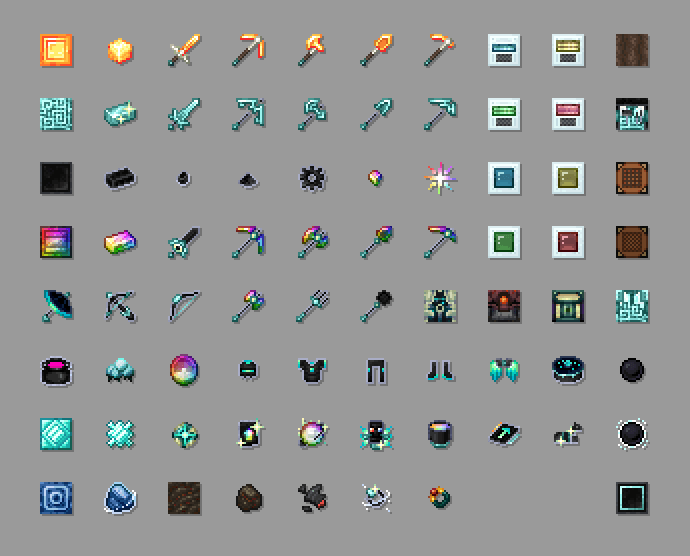
Singularities represent heavily compressed resources used in advanced crafting chains. Modern implementations may expose data-driven or scripting hooks for custom singularities, counts, and recipe behavior.
Infinity-tier gear is intentionally positioned after enormous material investment. Its extreme power only makes sense when the pack gates it behind production systems that are already near the end of progression.
Use a separate test instance, back up the world, match Minecraft and the loader first, add only the required dependencies, then confirm the game reaches the menu before adding the rest of the modpack.
The most common causes are a loader mismatch, wrong Minecraft version, missing dependency, incompatible Java runtime, or another mod targeting the same systems. Read the first meaningful error in the crash report before changing several variables at once.
Recipe visibility can depend on the exact branch, installed integrations, recipe viewer, datapacks, KubeJS or CraftTweaker changes, and modpack overrides. Test the base mod in a minimal profile to separate core behavior from pack customization.
Usually you can test it, but adding a major content mod changes registries and progression assumptions. Create a full backup and verify the result in a copied world before using the original save.
Removing a content mod can leave missing items, blocks, recipes, or inventories. Export valuable items where possible and test removal on a backup rather than the only copy of the world.
Reproduce the issue in a minimal instance, keep versions fixed, add dependencies first, then restore other mods in small groups. This converts a vague crash into a controlled compatibility test.
A recipe viewer is not always a hard dependency, but it is extremely useful for large custom crafting chains. Modern projects often document support for recipe-viewing ecosystems, while pack authors may also override recipes.
Memory needs are determined by the full modpack rather than Avaritia alone. Allocate enough for the pack and Java version without exhausting the operating system; investigate runaway automation, chunk loading, and scripts before simply adding more RAM.
Gate Infinity-tier outputs behind production milestones, use meaningful singularity costs, avoid duplicate shortcuts from other mods, and test whether automation can scale without turning the final recipes into idle waiting.
Start with the project identity, then confirm Minecraft version, loader, release channel, and dependencies. A matching version number alone is not enough because multiple Avaritia-family projects can target the same Minecraft release.